Showing posts with label Documentation. Show all posts

Secure message feature in Outlook: Send password securely

Secure message feature in Outlook: Send password securely

Sometimes it is unavoidable to share the confidential information like username and password to people through emails. Sending normal email is not recommended for this.Secure message feature can be used to share confidential information. Advantages of this feature are
1. Restricted access to email. Recipient will be authenticated.
2. The mail can not be forwarded further.
3. Email content can not copied or printed.


To use this feature, select the options, Option>Permission


Adding Index Page/Table of Contents to Word Document

Adding Index Page/ Table of Contents to Word Document

I was preparing a word document which should be shared with client. I have to add an index page to the document. I tried to type headings and add page numbers which was very difficult and not looking good. I googled for better option and found a method to add table of contents which is very easy and beautiful.

https://www.youtube.com/watch?v=qmfGeSFB2P8

Step 1: Select the fields to be added in the index page and apply appropriate styles.
Suppose you are doing a word document like below having a main title and many subtitles. Apply Heading1 style to main title and Heading2 style for subtitles.

After applying styles page will be changed according to the style settings. example below.


Step 2: Find a space (Using Insert>Page Break ) to add table of contents.

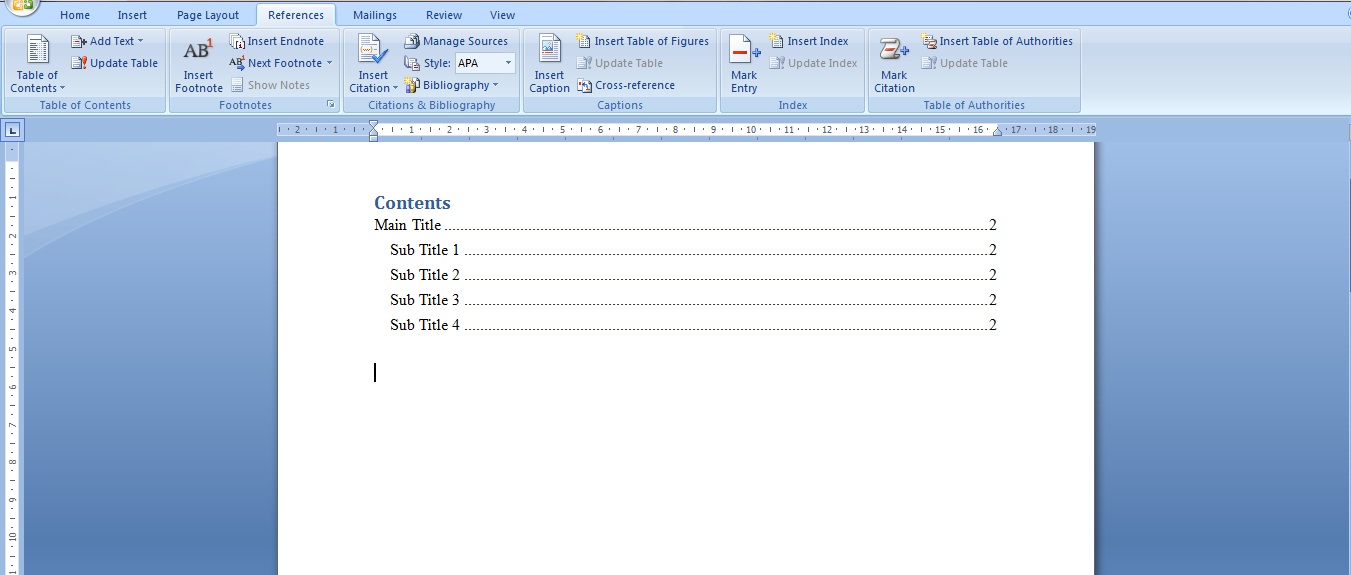
Step 3: Add Table of Contents using References>Table of Contents>Select any template.Done.